The solution
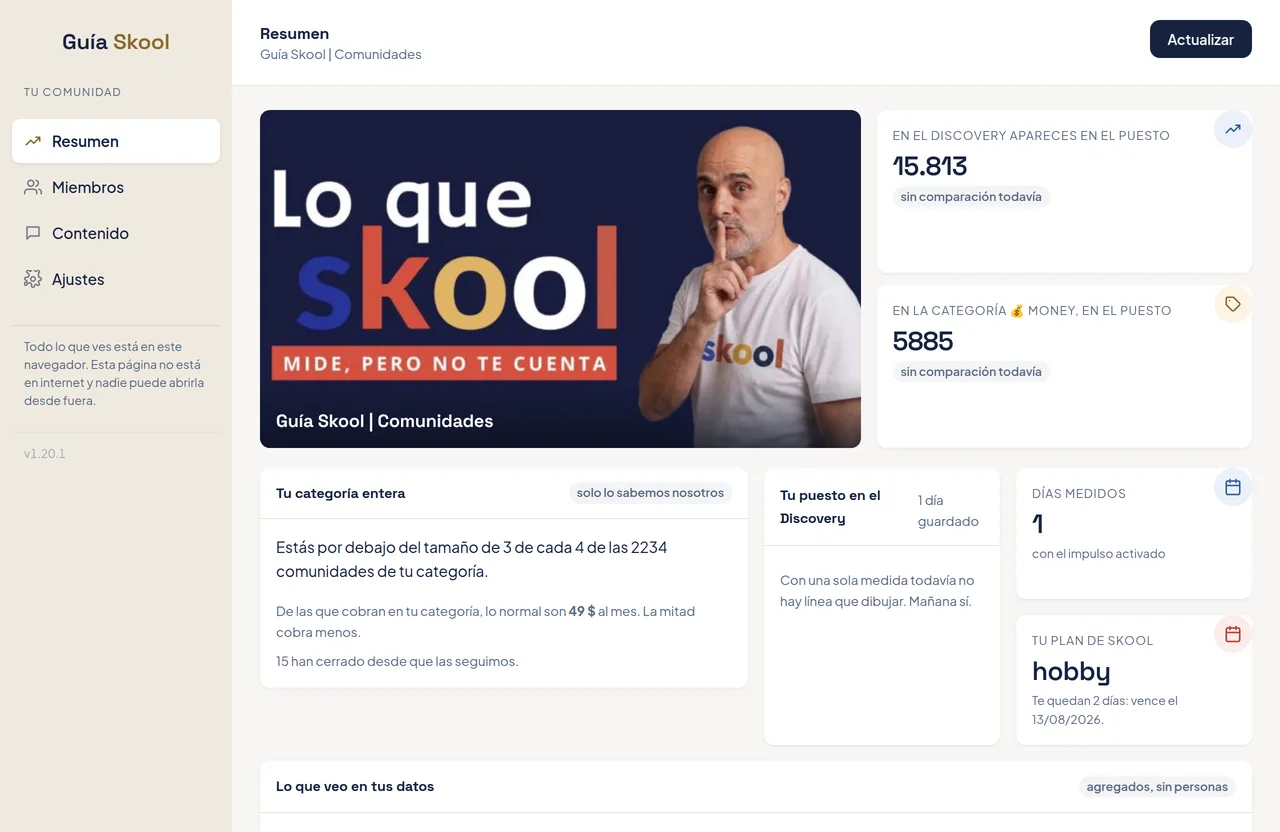
You click the icon and two numbers appear: where the community shows up when someone searches Skool, and where it sits inside its category. Tomorrow there is another point, and within a week a line that tells you whether the last few days of work were worth anything.
Below that, your people: how many, which countries, how they arrived and which ones have gone quiet. Plus a button to take that list into your own CRM and write to them, which is where the data stops being a nice number and starts being money.
The decision that shapes everything else: the member details never leave the browser. No names, no emails, none of the answers they gave on the way in. If the owner wants to move them, they go to their account, not ours. There is a test that fails if anyone tries to change that during a code cleanup.
On top, an automatic read-out that explains in two sentences what you are looking at, for whoever opens the panel and doesn’t know where to start.
The result
A small tool that answers in two seconds what nobody was answering before, and that hands each owner back control of their own list. Today it runs as a manual install, with the Chrome store listing as the next step.
At NUHKA we don’t just build the part you can see. Product, measurement and privacy get decided together, because all three end up on the same screen.
 Start the conversation